
Free presentation tools
Convert HTML to PPT
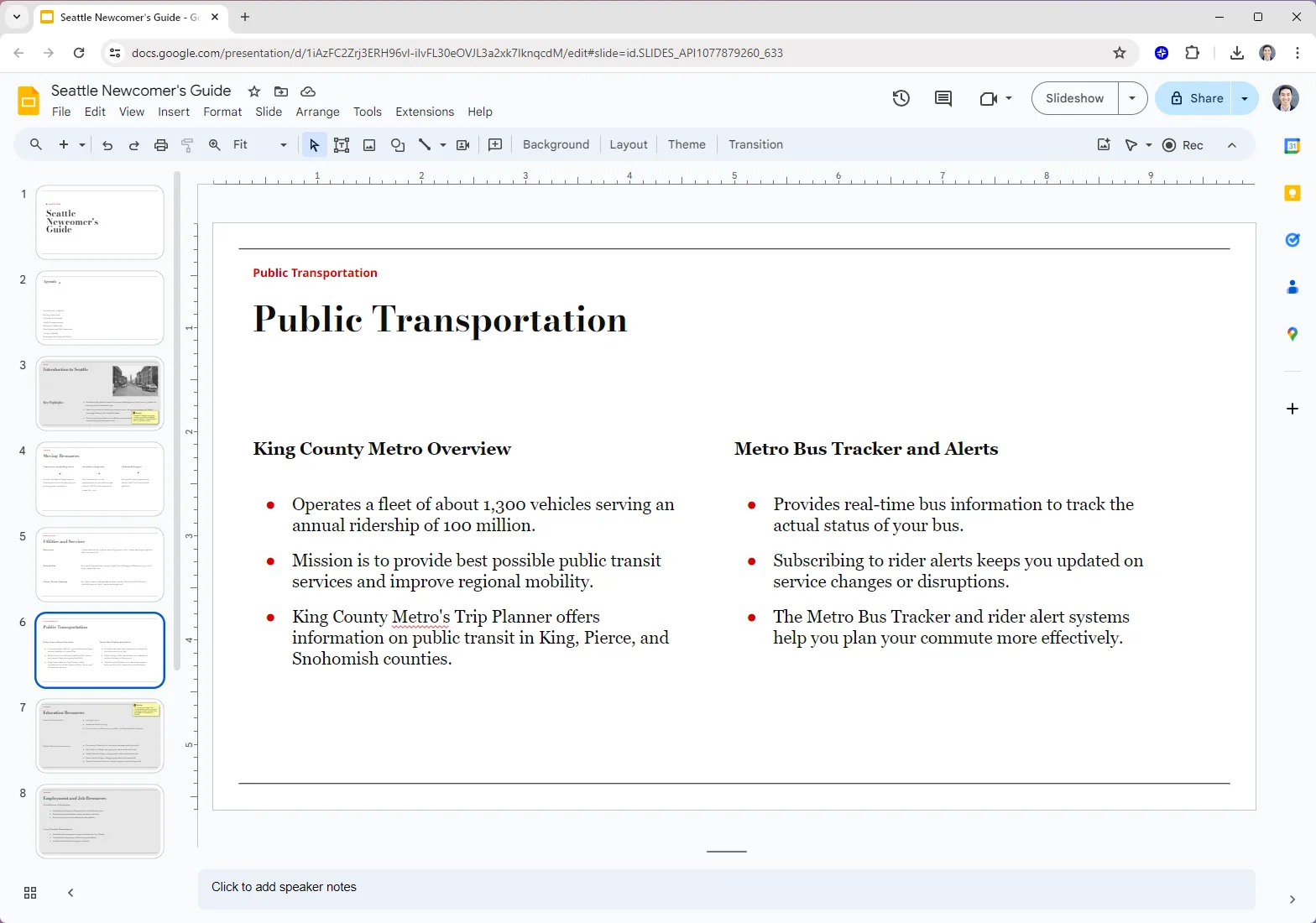
Paste in your HTML or a URL, and Plus AI will transform it into client-ready presentation. No sign-up required.

.png)


%20(1).png)

.png)
.png)
%20(1).png)
%20(1).png)

FAQs
Can I automatically convert HTML to PowerPoint?
Yes! Plus AI can turn HTML pages into fully-formatted PowerPoint presentations in minutes. Paste a URL or your HTML, and Plus AI will create slides with structured layouts, text, and visuals.
Can I edit slides after converting them from HTML?
Yes, Plus AI is designed for professional presentation creators, so every slide is fully editable and compatible with your existing Google Slides and PowerPoint presentations.
Is there a free way to convert HTML to PPT?
Yes, you can use the free HTML to PPT tool on the Plus AI site to convert your HTML into slides.
How long should my presentation be?
A good general rule of thumb is you need 1 slide for every 2 minutes of your presentation, plus or minus 2 to 3 slides. For more detailed guidance, check out our guide on How many slides do I need for my presentation?
Advanced templates and more

Plus AI for Enterprise
Custom templates, integrated asset libraries, and automated workflows - all powered by Plus AI. Includes SSO, user management, and white-glove onboarding to customize everything for your organization.


