.jpg)
Beautiful.ai is known for its smart slide layouts that make it easy to produce clean, on-brand presentations quickly. While its design-first approach saves time, its AI generation features feel limited compared to newer AI presentation tools. And it doesn't fully integrate with Google Slides or PowerPoint, which can be a dealbreaker.
To help you find a better fit, I tested eight Beautiful.ai alternatives across real use cases: a product launch deck and an investor update. I'll break down how each tool works, what you'll like and dislike, and how much it costs. I'll also share reasons to consider switching and suggestions for the right slide deck tool based on your needs.
{toc}
Why look for a Beautiful.ai alternative?
While Beautiful.ai can certainly generate consistent slide decks, it's not the ideal tool for everyone. After running it through extensive tests, here are some of the reasons I'd think about switching to another AI presentation maker.
Lack of integrations
Beautiful.ai can connect to tools like Google Drive and OneDrive, but you can't use it in Google Slides or PowerPoint. (Technically, it has a PowerPoint add-in. But it only lets you design single slides and I never successfully got it to work.) If your team already collaborates in the Google Workspace or Microsoft 365 ecosystem, you'll want a presentation tool that also works there.
Weak AI content quality
While Beautiful.AI has generative AI copy and image capabilities, they're not very advanced. In my experience, its generative copy doesn't reflect strong reasoning or creativity. And its images often look amateurish, which won't work for professional slide decks. I'd prefer a tool that has generative AI as a core capability.

Limited AI editing tools
With Beautiful.ai, you can create presentations with AI. But the platform has limited AI editing tools that focus on adding new slides, rewriting individual text boxes, and regenerating images. If you're expecting an AI agent to handle complex edits, you'll have to look elsewhere.

Repetitive designs
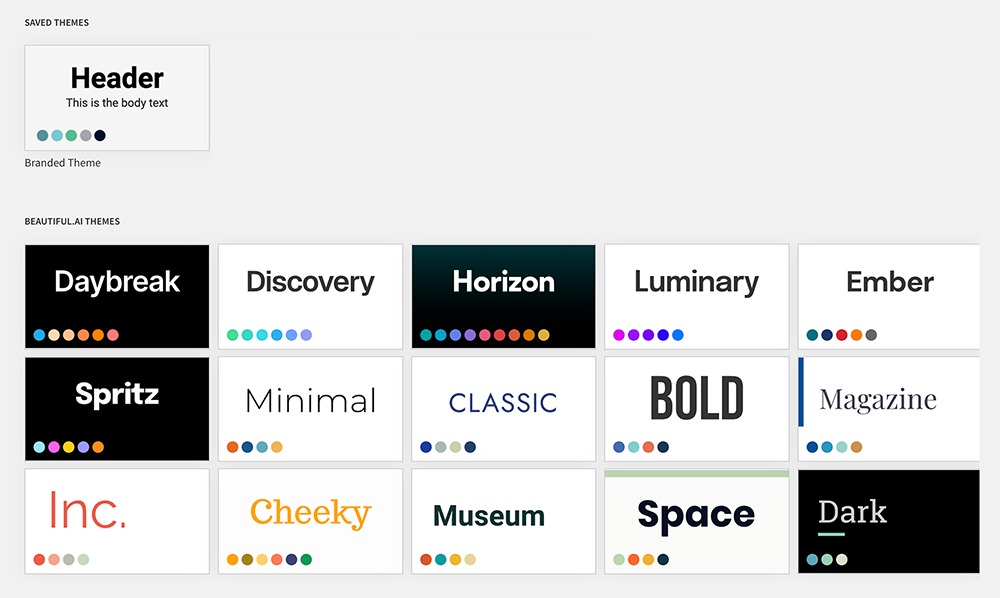
Every Beautiful.ai deck pulls from the same library of 300+ Smart Slides, so presentations start to look identical right away. Its themes are just font and color combinations rather than fully designed templates. And layouts are locked, so you can only customize a slide so much. For deeper customization and more creative designs, you'll need another tool.
Outdated UI
Beautiful.ai is one of the older presentation design tools on the market, and it shows. The user interface (UI) looks dated, and menus aren't always easy to navigate. I also found it a little glitchy. I had to create themes multiple times before they stuck, and sometimes presentations would disappear from my library.
What are the best Beautiful.ai alternatives?
From dedicated AI presentation tools like Plus AI to design tools like Canva to startup pitch deck tools like Slidebean, here's how eight of the best Beautiful.ai alternatives compare.
1. Plus AI
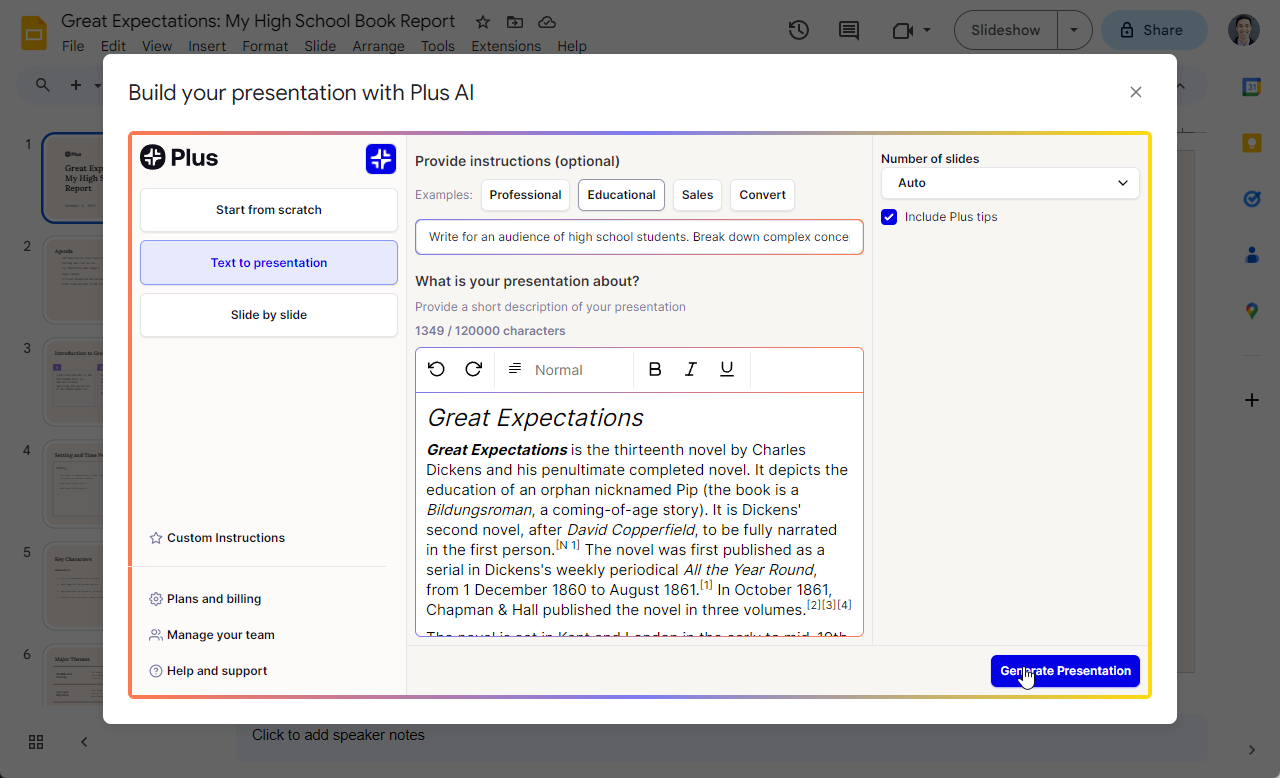
Plus AI is a presentation tool that generates decks and edits slides with AI. You can use one of the preset prompts; input your own detailed instructions; or upload Word documents, PDF files, or text files. To design the deck, you can choose from over two dozen professional templates or upload your own.
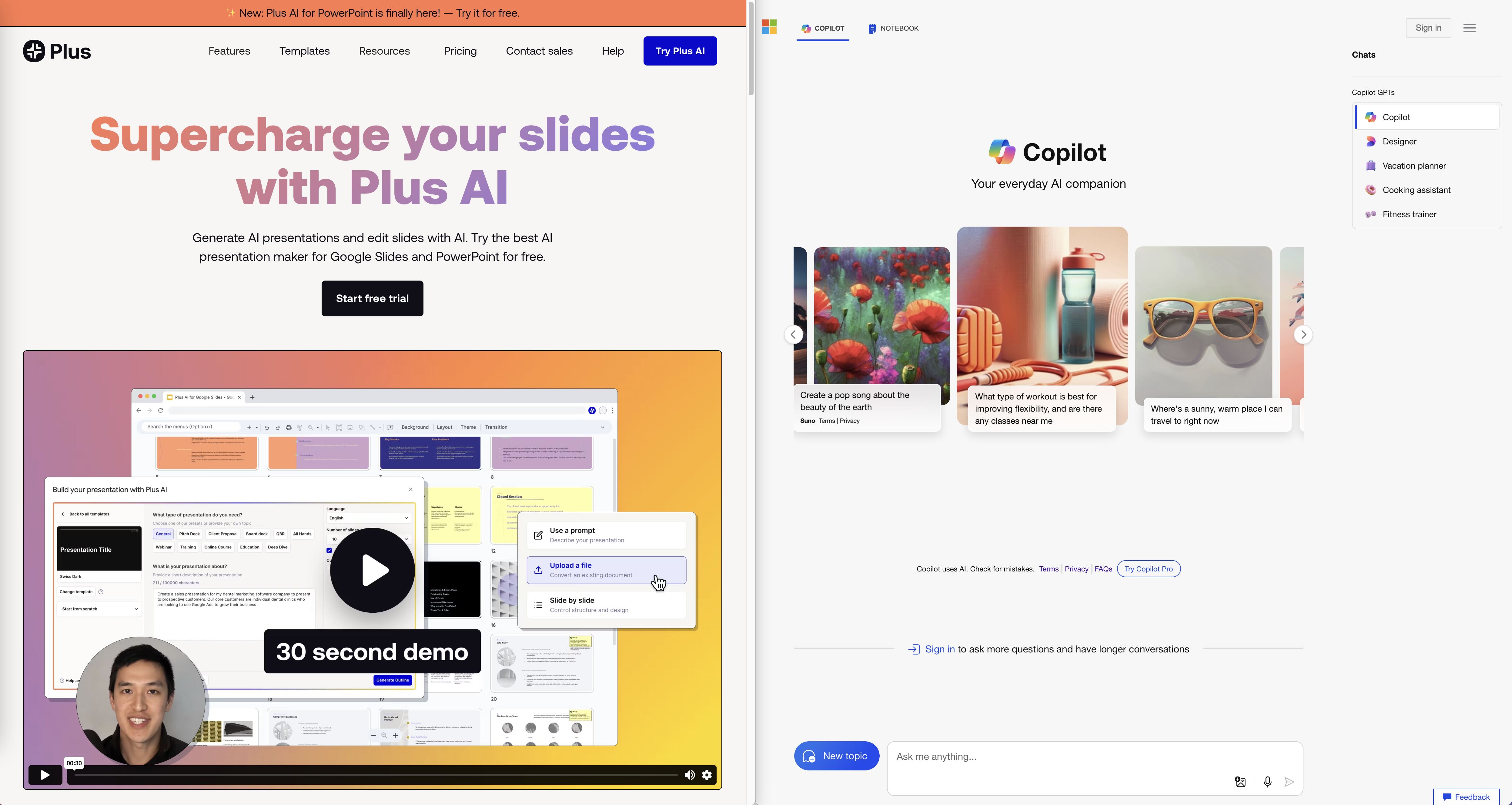
You have the option to work in the Plus AI web app, and then download fully editable PPTX files. Or, you can create and edit Plus presentations directly in Google Slides and PowerPoint.
Pros of Plus AI
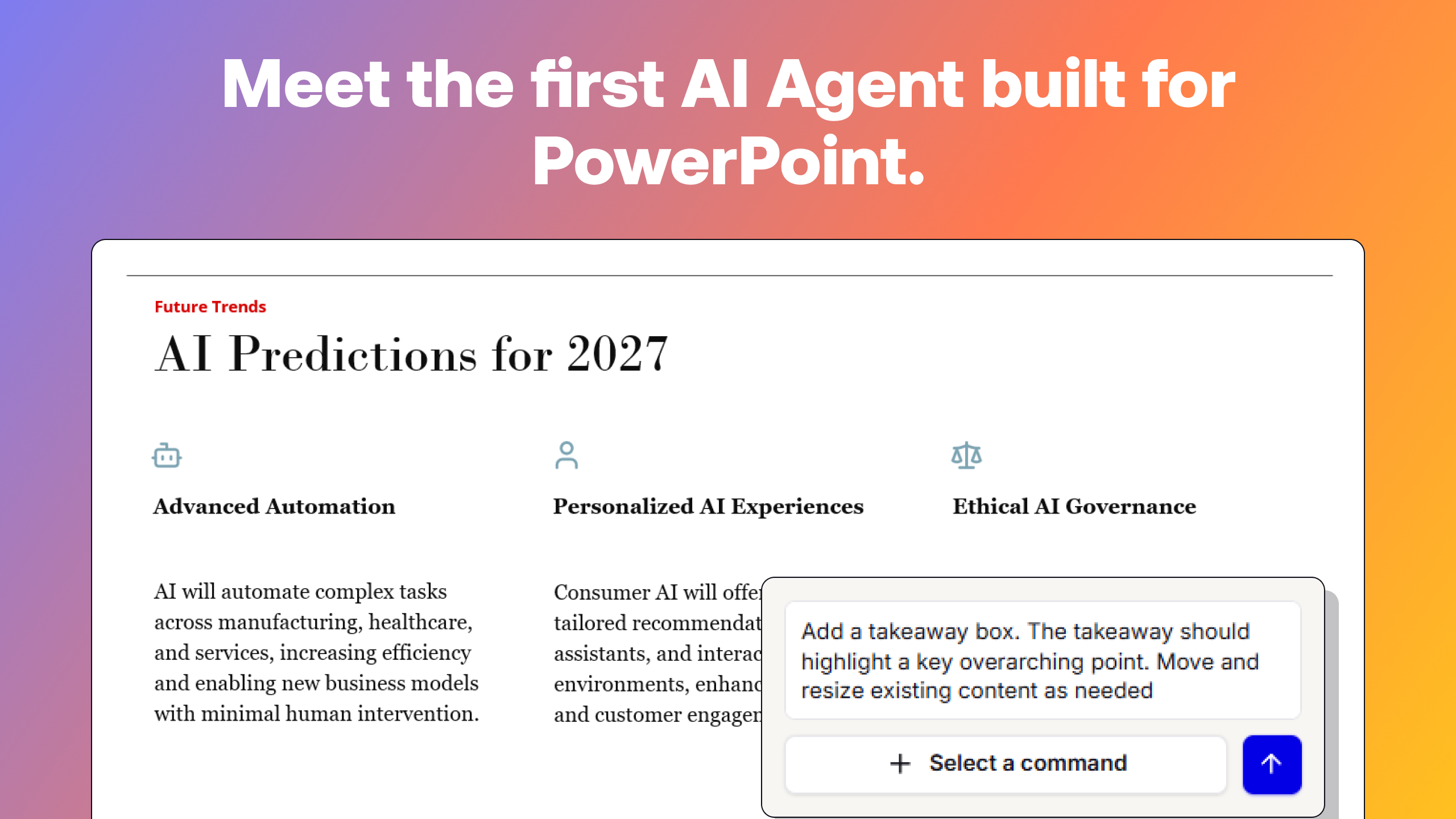
It has add-ins for Google Slides and PowerPoint, so you can create, edit, and present right in either tool. When you work in PowerPoint, Plus AI Agent supports conversational editing and handles complex tasks.
Of all the AI presentation tools I tested, Plus generated some of the highest quality images. Its AI image generator lets you choose the AI model (including Flux Schnell, Nano Banana Pro, and GPT Image) and style, with dozens of options to pick from.

Plus AI also generates data visualizations that are easy to customize and update. When you work in Google Slides, for example, it creates a linked Google Sheets file, where you can adjust the data, layout, or style.

If you need to edit any other slide elements, you can do so manually or use Plus's AI editing tools. They let you rewrite entire slides, remix layouts, and regenerate images in one click.
Cons of Plus AI
You access Plus's full range of tools via the Google Slides and PowerPoint add-ins. If your team doesn't use Microsoft 365 or Google Workspace and you're looking for a standalone presentation tool, it's less ideal.
Plus AI focuses more on creating professional slide decks than on providing a unique presentation experience. While it doesn't offer built-in animations, you can add them in PowerPoint or Google Slides.
Pricing
Plans start at $10/month (billed annually) for 1,500 AI credits per month. Team plans start at $30/month per user (billed annually) for 6,000 AI credits per month along with custom branding, templates, and presets.
2. Gamma
Gamma is an AI-powered design tool that generates presentations as well as websites and graphics. It's known for its creative decks, and it did indeed produce some of the most creative presentations of any tool I tested.
Pros of Gamma
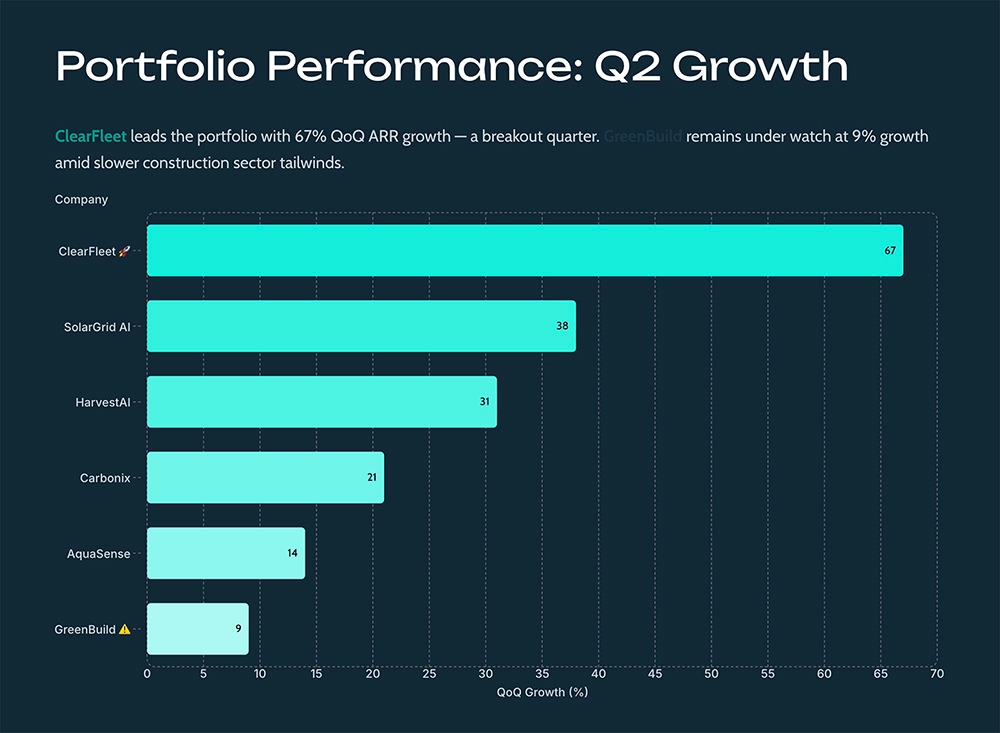
Across all the prompts I tested, Gamma's visuals were high quality. Both illustrations and photos fit the theme, accurately conveyed the information, and looked professional.
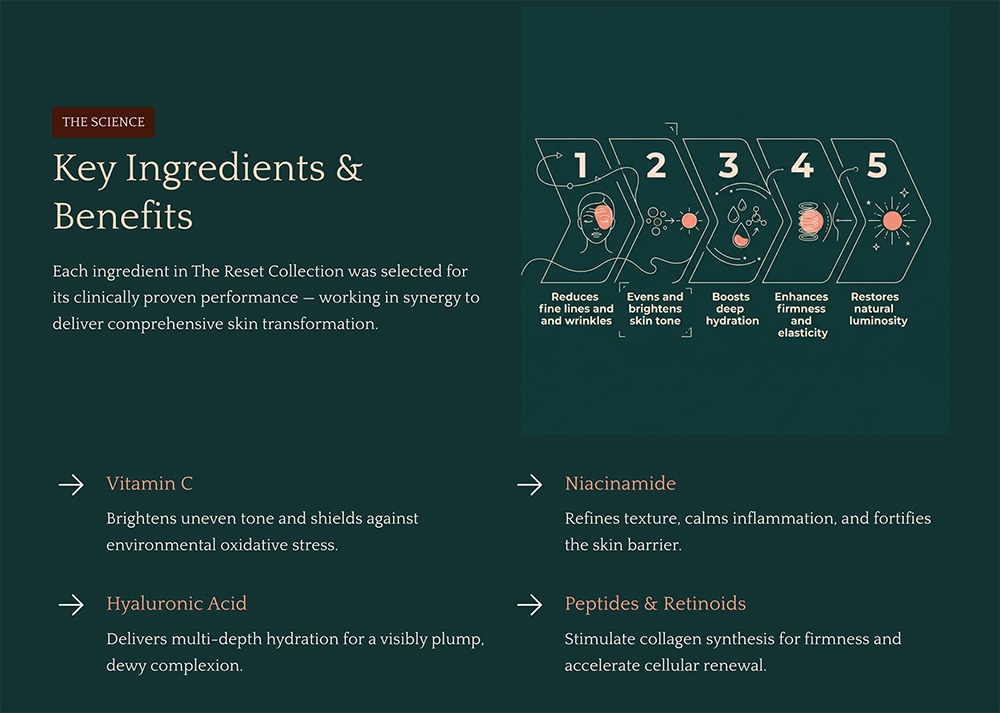
It also has one of the largest AI editing toolsets. You can use the AI agent to edit slide copy, rework entire slides, or regenerate the whole deck. Or, you can insert new slides using AI to complete your deck. You can also edit any element (including data visualizations) manually.
Cons of Gamma
Its default approach is to generate slides of random, mismatched sizes to ensure that each slide is the right size for the information it includes. This is fine if you plan to edit and present in Gamma. But if you need to export to PowerPoint and edit or present in another tool, the slide elements won't align correctly.
Gamma doesn't work directly in PowerPoint or Google Slides. So, if your team regularly needs to access Gamma presentations in those tools, you'll probably waste time fixing slide layouts.
Gamma pricing
Gamma has a free plan with 400 credits. Paid plans start at $9/month per user (billed annually) for 1,000 monthly credits. Team plans start at $20/month per user (billed annually) for a minimum of two team members.
3. Canva
Canva is a design tool that can create anything from digital to print assets as well as images, videos, and audio. Its presentation maker is just one aspect of this wide-ranging platform.
Pros of Canva
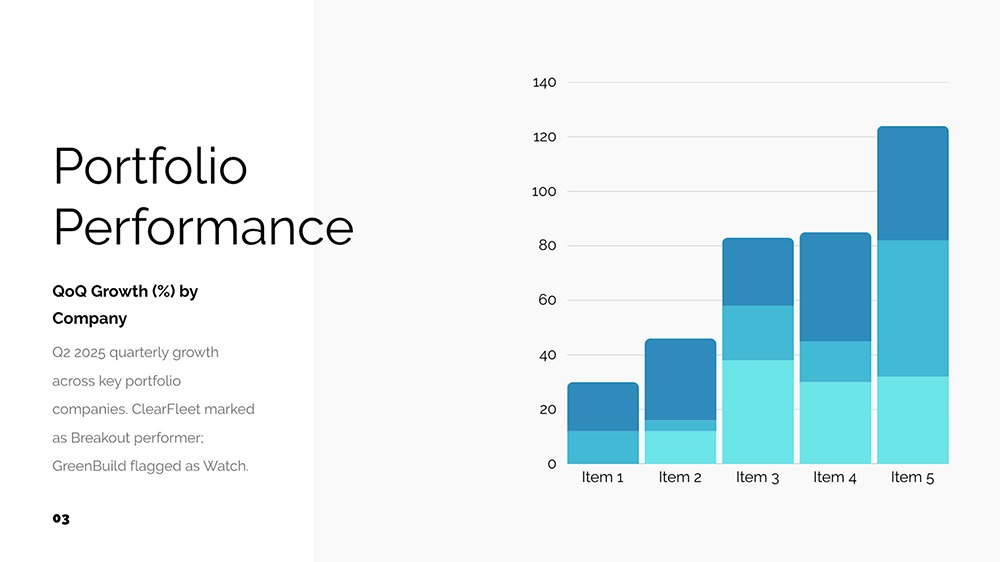
Its AI-generated images are some of the strongest across all the tools I tested. Canva's AI photos aligned well with each use case, requiring minimal or no edits.

Its AI agent is helpful for reworking slide designs, expanding copy, and adding media. For example, I prompted it to replace a data visualization with a few highlighted stats, and it easily translated the data.
Cons of Canva
Unlike most AI presentation tools I've tried, Canva doesn't have an outline step. That means it goes right from the prompt to the first draft. This sometimes means you have to spend a lot of time editing the slides after the fact.
It doesn't always follow prompts faithfully, as it doesn't allow detailed prompts. In some cases, it ignored my instructions and included completely different slides or a layout I didn't request.
Overall, Canva's decks focused mainly on design. The AI-generated copy was generally minimal and would require effort to expand.
Canva pricing
Canva has a free plan with 200 standard AI uses. Paid plans start at $12/month per user (billed annually) for 10x AI credits. Team plans start at $250/year per person for 20x AI credits and collaboration tools.
4. Visme
Visme is a creative tool for all kinds of design assets, including presentations, data visualizations, social graphics, and whiteboards. It has a wide selection of predesigned charts, graphs, and icons to use in slide decks.
Pros of Visme
It has one of the largest presentation template libraries of any tool I tested. If you need a template for real estate, healthcare, or consumer goods, you'll find plenty of options.
Visme also offers deep customization. You can edit almost any element, from icons to text effects. And you can animate by adding a timer to each slide so the presentation flows automatically, with no need to manually tab between slides.
Cons of Visme
All the prompts I tested resulted slide copy issues. Most copy ran longer than the text box allowed, requiring me to manually adjust it. And slides featured multiple mismatched fonts, even though I chose from preset presentation templates.

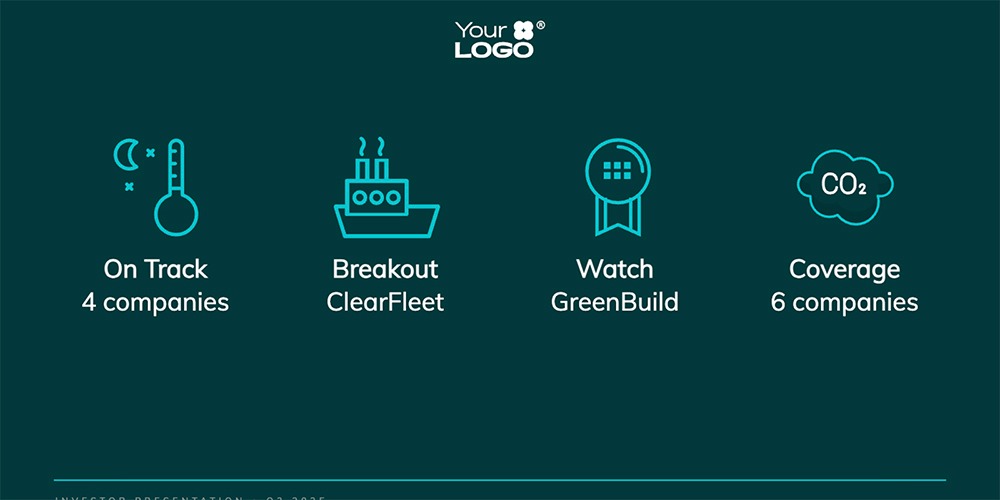
Of all the presentation tools I tested, Visme's visual quality was the worst. While other tools followed my prompt to display data into a chart, Visme generated a slide with a few icons and some unhelpful copy. Across the deck, it incorporated almost none of the information from my detailed prompt, making no attempt to build out the slides.
Visme pricing
Visme has a free plan that supports unlimited projects but has limited templates and design assets. Paid plans start at $12.25/month per user (billed annually) for access to premium assets and download capabilities.
5. Prezi
Prezi is one of the oldest presentation tools on the market. It has a relatively large template library, and it's also evolved to include AI design tools.
Pros of Prezi
It has one of the most interesting presentation styles of all the tools I tested. Each slide displays on a whiteboard with visuals that connect the narrative. It feels more like you're navigating through an environment than flipping through a slide deck.

Prezi has a plenty of helpful AI editing tools to help you get presentations just right. You can use AI to expand or shorten text, bold key points, create bullet lists, insert flow charts, add animations, and make many other changes. You can also add and reuse predesigned story blocks to build your deck.
Cons of Prezi
Although the presentation concept was strong visually, the individual slides' copy and designs were lacking. Most slides had minimal copy, even when I provided ample details. Getting them to a final version would have taken a lot of manual effort.

While Prezi did a good job at highlighting stats, I struggled to get it to create data visualizations. Even when I provided data and asked it to show a graph, it just displayed the numbers. The lack of data visualizations was disappointing.
Prezi pricing
Prezi has a free plan that lets you create five presentations. Paid plans for business professionals start at $29/month (billed annually) for presentation tools with unlimited AI. Team plans start at $39/month per user (billed annually) for collaboration tools. There are no monthly billing options.
6. Pitch
Pitch is built for creating, presenting, and tracking presentations with a team. In addition to creative features, it supports real-time collaboration with team members and external guests via features like advanced links and team workspaces
Pros of Pitch
While some tools focus on design and deck generation, Pitch also handles the presentation part of the process. It provides AI-generated speaker notes to simplify presenting. And it offers pitch rooms where your team can co-present slides to prospects, clients, or colleagues.
Pitch has some of the most extensive integrations of any tool I tested. It connects to Slack so you can manage comments, HubSpot so you can pre-fill company details in your pitch room, and Notion so you can embed decks.
Cons of Pitch
Technically, Pitch has 100+ predesigned templates. But you can only use them if you build your presentation manually. When you create with AI, customization options are much more limited. In fact my decks all looked the same.
Its AI features missed the mark. My AI-assisted presentations had mismatched headings and body text. The generative AI copy was really minimal, with a lot of missing information. And some of the slides inexplicably spoke to different audiences (consumers versus marketers).

Although its AI prompting tool seems promising, it only accepts prompts under 500 characters. I wasn't able to use any detailed prompts or upload any Word documents, PDFs, or spreadsheets. That's why this chart shows fabricated data instead of real numbers.

Pitch pricing
Pitch has a free plan that includes 100 AI credits and unlimited presentations. Paid plans start at $13/month (billed annually) for 3,000 AI credits per year and no watermarks. Team plans start at $19/month per user (billed annually) for 6,000 AI credits per year and two shared pitch rooms.
7. Presentations.ai
Presentations.ai is an AI presentation maker designed for business. It takes your prompts, documents, or URLs and builds them out into structured decks that are ready to present.
Pros of Presentations.ai
While most tools I tested asked me to review an outline before generating the deck, this is the only one that asked me follow-up questions. For my product launch deck, it prompted me to define which channels to prioritize and to estimate my internal sales targets.
Presentations.ai also has several input options that you can adjust before creating your deck. For example, you can set your role (consulting, engineering, marketing, etc.) choose a level of detail for the slides, and pick an AI model. I found these options helpful for getting the initial draft as close as possible to a final version.

Cons of Presentations.ai
Even though Presentations.ai supports file uploads, connections to Google Drive and Notion, and detailed prompts, I found that it didn't always use the information I provided. For example, this visualization doesn't accurately reflect the data I provided.

Although the platform makes it easy to insert more content with a prompt or remix layouts and change themes with one click, it lacks AI editing tools. I wasn't able to rewrite copy or regenerate images using AI.
I also found Presentations.ai to be one of the buggiest platforms I tested. One prompt got stuck partway through and never generated a deck. Another threw an error as it presented the draft, forcing me to regenerate the deck.
Presentations.ai pricing
Plans start at $10/month (billed annually) for limited AI credits and basic capabilities, including access to brand themes and team collaboration.
8. Slidebean
Slidebean is a pitch deck tool for founders, with the goal of simplifying fundraising. In addition to generating presentations, it also reviews existing decks, which can be helpful if you need a second set of eyes on your design.
Pros of Slidebean
If you run or work for a tech startup and your main goal is fundraising, Slidebean has tools tailored to your use cases. It generates pitch decks from your website or company blurb, which is great if you don't have a lot of time to craft a custom prompt.
It also lets you animate slide elements. If you're planning to present in Slidebean, these animations can add visual appeal to your deck.
Cons of Slidebean
This tool really only works for startup pitch decks. It doesn't support more creative prompts, and all decks look the same by default. When I asked it to create a DTC product launch deck, it repurposed the same template and images it uses for startups. If you want to generate slide decks with a variety of layouts and aesthetics, this isn't the tool for you.

Slidebean lets you change the theme, palette, and font after you generate the presentation. It also lets you edit slide elements and add new slides manually. But it doesn't have any AI editing tools. So if your deck needs a lot of work, you might be better off regenerating it from scratch.
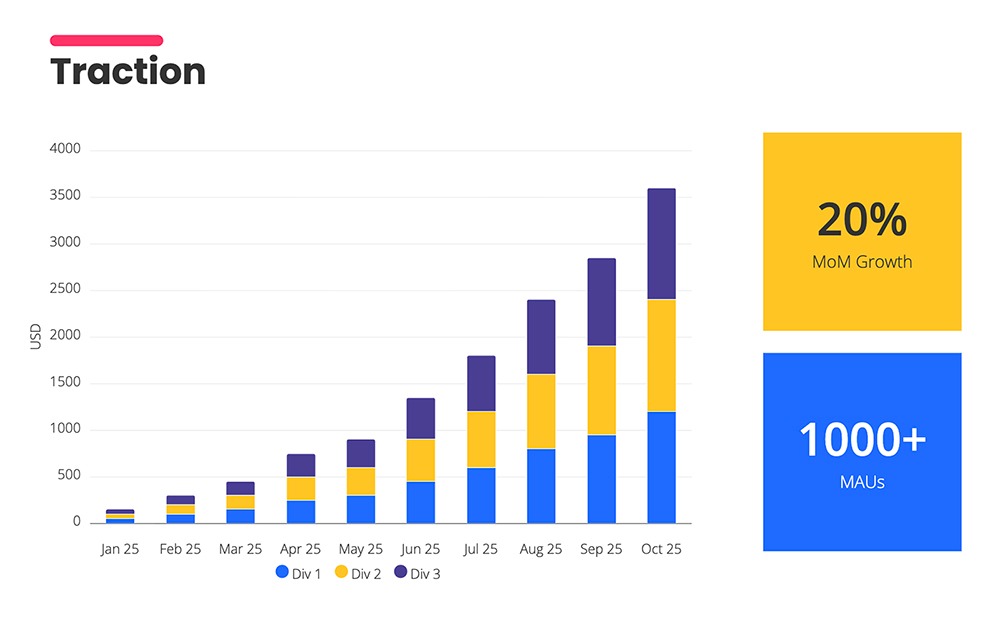
It doesn't have an option to upload data, which I found surprising for a fundraising tool. As a result, it populated this chart with generic data.
Slidebean pricing
Plans start at $7/month (billed annually) for unlimited decks, 100+ templates, and analytics.
Which Beautiful.ai alternative is right for you?
The best alternative to Beautiful.ai depends on how your team works and which tasks you need AI to do. Here's a quick way to narrow it down:
- If you need to work in Google Slides or PowerPoint, Plus AI is the only option on this list that runs directly inside both.
- If design and visuals are your top priority, Gamma and Canva produce strong images and polished designs.
- If you want a non-traditional presentation format, Prezi offers a whiteboard-style experience, while Visme supports animated, self-running decks.
- If you're focused on fundraising, Presentations.ai walks you through a guided setup for business decks, while Slidebean is purpose-built for startup pitch decks.
- If team collaboration is essential, Pitch is built around co-presenting and shared pitch rooms.
- If budget is your main concern, Slidebean ($7/month), Gamma ($9/month), and Plus AI and Presentations.ai (both $10/month) are the most affordable paid options.
When you want robust AI presentation features without leaving the tools your team already uses, Plus AI is worth a look. It works directly inside Google Slides and PowerPoint, creates fully editable slides, and offers AI-assisted slide deck generation and editing.
Try Plus AI free for 7 days and create your first deck in minutes.
Frequently asked questions about Beautiful.ai alternatives
What is the best free alternative to Beautiful.ai?
The best free Beautiful.ai alternative depends on what capabilities you need and where you work. Plus AI is a good choice for many teams, as it offers AI content generation, unlimited presentations, and collaboration tools. It also works directly inside Google Slides and PowerPoint, so you can generate and edit decks in the tools you already use.
Which AI presentation tool is best for teams?
The best AI presentation maker for teams is one that fits into your existing workflow instead of forcing everyone onto a new platform. Look for shared templates, brand controls, version history, and permissions that match how your team collaborates. Plus AI is a good fit for teams that work in Google Slides or PowerPoint, since it adds AI generation, custom themes, and branding to the tools in your ecosystem.
Can I use Google Slides or PowerPoint instead of Beautiful.ai?
Yes, you can use Google Slides or PowerPoint instead of Beautiful.ai. Many teams prefer them, as they offer more flexibility, broader integrations, and easier sharing. Adding Plus AI to either one gives you AI slide generation, editing, and design help without giving up the file formats and collaboration features your team relies on.
What is the cheapest Beautiful.ai alternative?
The cheapest slide deck tools are those with free plans, including Gamma, Visme, Canva, Pitch, and Prezi. The least expensive paid plans are Slidebean ($7/month), Gamma ($9/month), Plus AI ($10/month), and Presentations.ai ($10/month), all with annual billing.
Which Beautiful.ai alternative has the best AI features?
Some presentation software focuses on generative AI tools for copy and visuals. Other platforms prioritize AI assistants and agents that can handle content creation and editing tasks. Plus AI does both, generating decks with AI copy and visuals and providing an AI agent for complex tasks.